
Weights & Biases
Weights & Biases (W&B) is a platform for tracking machine learning experiments, visualizing metrics and optimizing hyperparameters. This plugin integrates W&B with Flyte, enabling you to:
- Automatically initialize W&B runs in your tasks without boilerplate
- Link directly from the Flyte UI to your W&B runs and sweeps
- Share W&B runs across parent and child tasks
- Track distributed training jobs across multiple GPUs and nodes
- Run hyperparameter sweeps with parallel agents
Installation
pip install flyteplugins-wandbYou also need a W&B API key. Store it as a Flyte secret so your tasks can authenticate with W&B.
Quick start
Here’s a minimal example that logs metrics to W&B from a Flyte task:
import flyte

from flyteplugins.wandb import get_wandb_run, wandb_config, wandb_init

env = flyte.TaskEnvironment(
    name="wandb-example",
    image=flyte.Image.from_debian_base(name="wandb-example").with_pip_packages(
        "flyteplugins-wandb"
    ),
    secrets=[flyte.Secret(key="wandb_api_key", as_env_var="WANDB_API_KEY")],
)


@wandb_init
@env.task
async def train_model() -> str:
    wandb_run = get_wandb_run()

    # Your training code here
    for epoch in range(10):
        loss = 1.0 / (epoch + 1)
        wandb_run.log({"epoch": epoch, "loss": loss})

    return "Training complete"


if __name__ == "__main__":
    flyte.init_from_config()

    r = flyte.with_runcontext(
        custom_context=wandb_config(
            project="my-project",
            entity="my-team",
        ),
    ).run(train_model)

    print(f"run url: {r.url}")
This example demonstrates the core pattern:
- Define a task environment with the plugin installed and your W&B API key as a secret
- Decorate your task with
@wandb_init(must be the outermost decorator, above@env.task) - Access the run with
get_wandb_run()to log metrics - Provide configuration via
wandb_config()when running the task
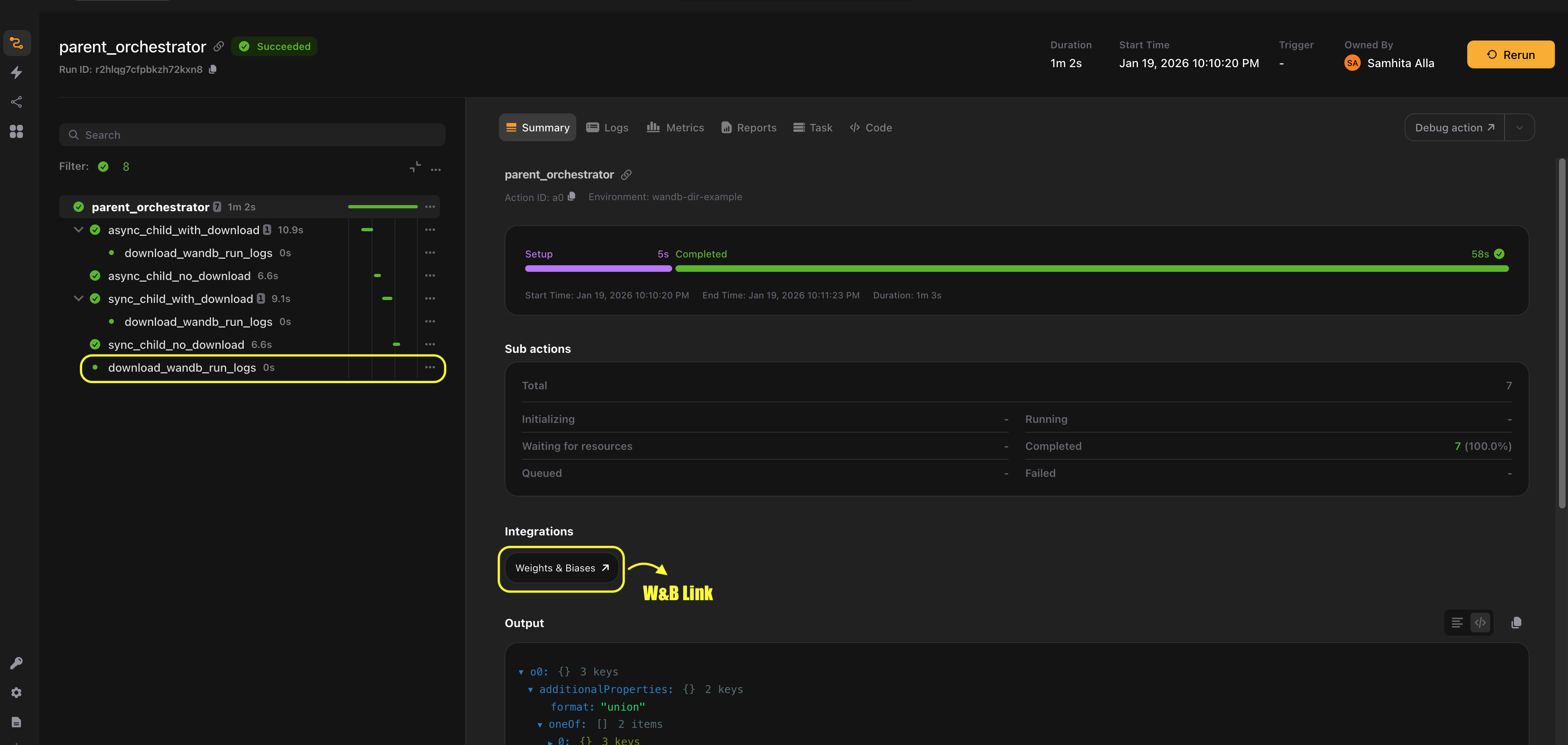
The plugin handles calling wandb.init() and wandb.finish() for you, and automatically adds a link to the W&B run in the Flyte UI.
What’s next
This integration guide is split into focused sections, depending on how you want to use Weights & Biases with Flyte:
- Experiments: Create and manage W&B runs from Flyte tasks.
- Distributed training: Track experiments across multi-GPU and multi-node training jobs.
- Sweeps: Run hyperparameter searches and manage sweep execution from Flyte tasks.
- Downloading logs: Download logs and execution metadata from Weights & Biases.
- Constraints and best practices: Learn about limitations, edge cases and recommended patterns.
- Manual integration: Use Weights & Biases directly in Flyte tasks without decorators or helpers.